NOTESQUICK · MAC · IPAD · IPHONE
notes
Notes as plain Markdown files, in a folder you choose
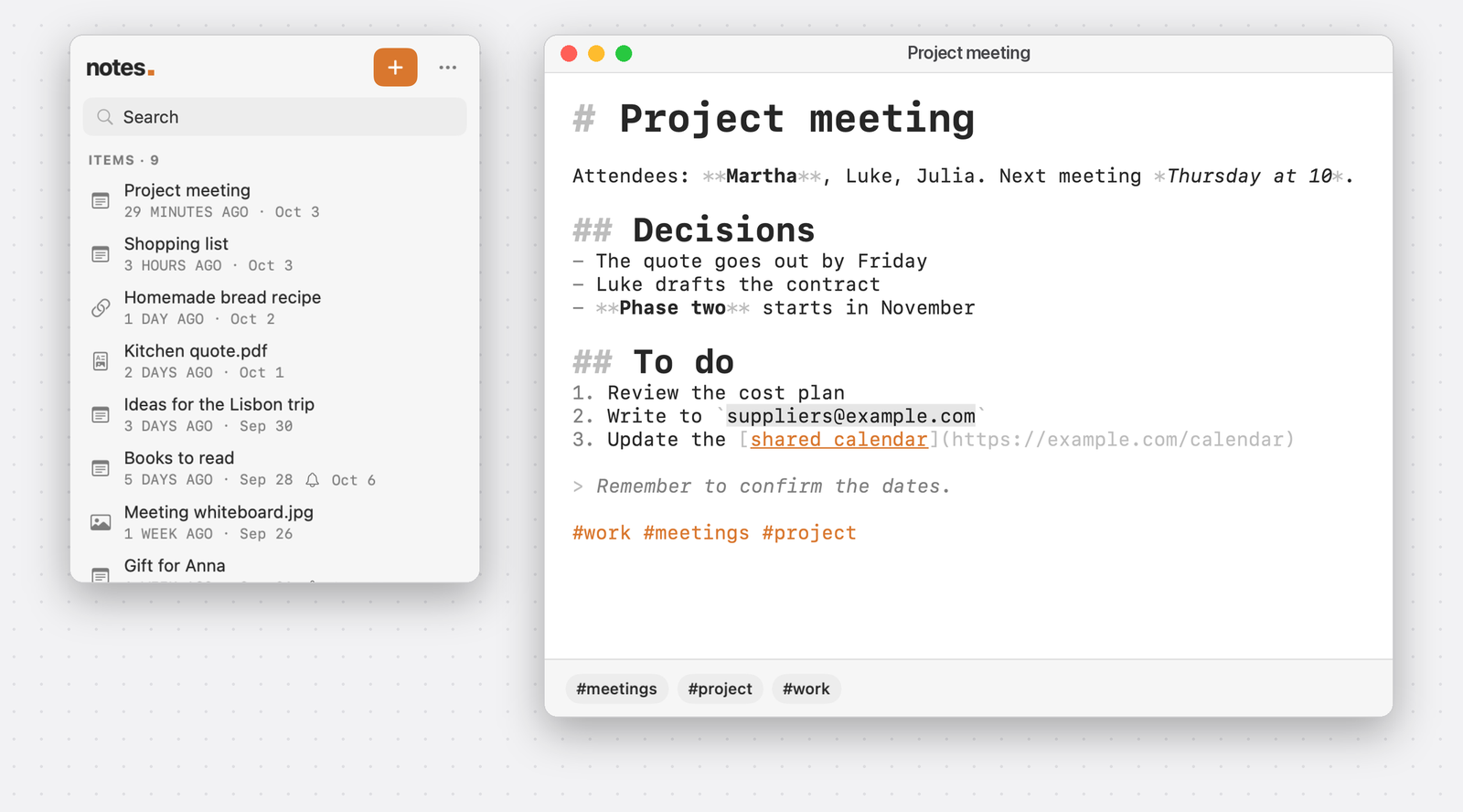
On Mac it lives in the menu bar: one click for the list, another and you are writing. On iPhone and iPad you find the same notes. The files stay yours and open in any other app.
FEATURES · 4
Write
Markdown highlighted as you type: headings, bold, italic, lists, links, code, quotes. The title is the first line, and the file takes the same name.
Collect
Not only notes: save a link, add a PDF, an image or a document. From other apps they arrive through the Share menu.
Find
Search in titles and content. #tags are recognised in the text and collected under the note.
Postpone
Hide an item until a date, when you do not need it now, or get a notification to remind you.
WHERE THE FILES LIVE · 3
One folder
You choose which. A note is a .md, .markdown or .txt file.
Synced, if you want
If the folder is in iCloud Drive or another service in the Files app, your notes follow you across Mac, iPad and iPhone.
No lock-in
No database and no proprietary format: remove the app and the notes stay where they are.
FREE
The app is free and complete, with no ads and no purchases.
HELP · 4
Where the app is on Mac
In the menu bar, top right: it has no Dock icon. Click the icon to open the list.
Changing the folder
On Mac from the “more” button of the panel, then Preferences…; on iPhone and iPad from the gear.
Notes do not show up on another device
Sync is the folder's own: pick the same folder on every device and check that the service has updated it.
An item has disappeared
It may be hidden until a date: the moon icon in the list shows snoozed items too.
For questions, problems or requests write to io@fabriziolodi.com: replies in English or Italian.